
★★★★★
Fabulous
This app is amazing, easy to use. Full of information to keep screen time safe. I highly recommend it!!

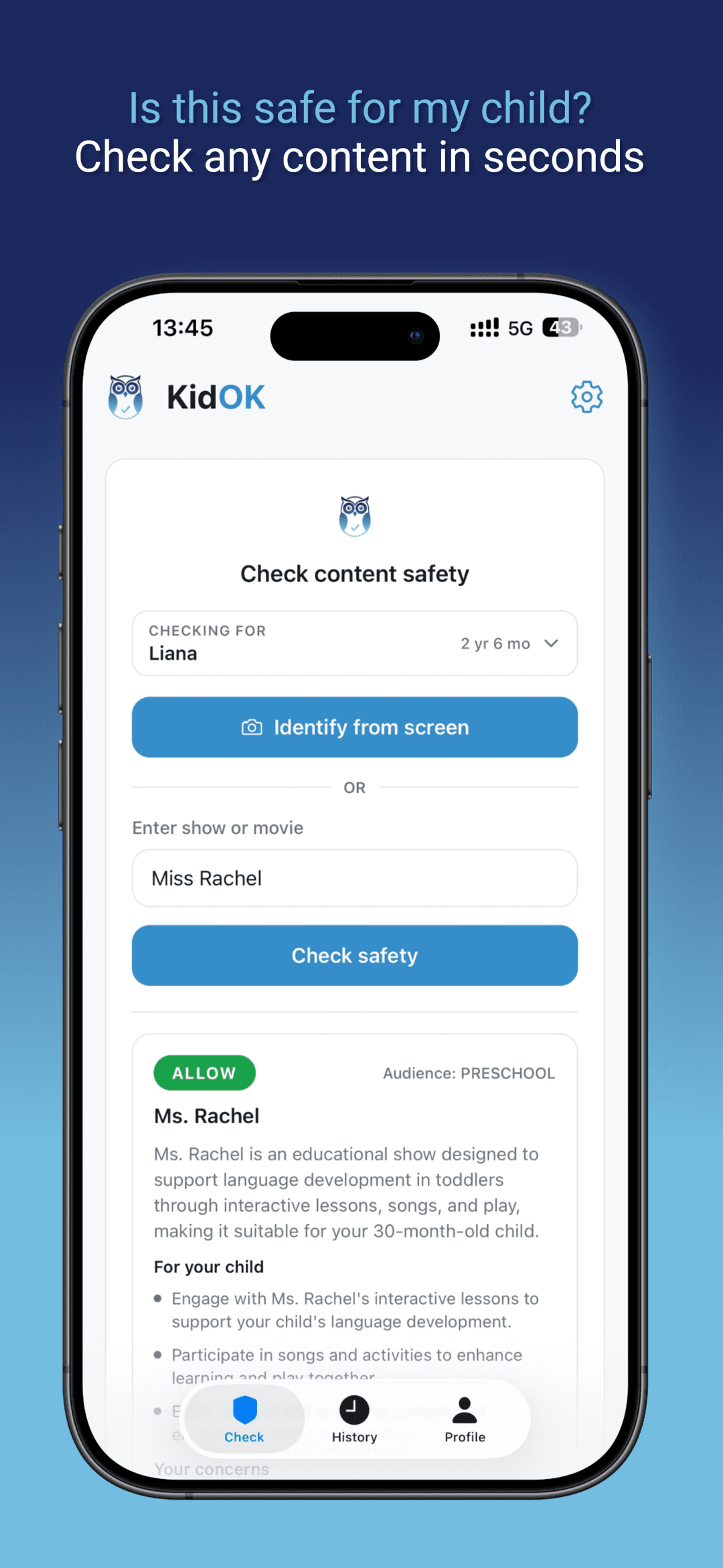
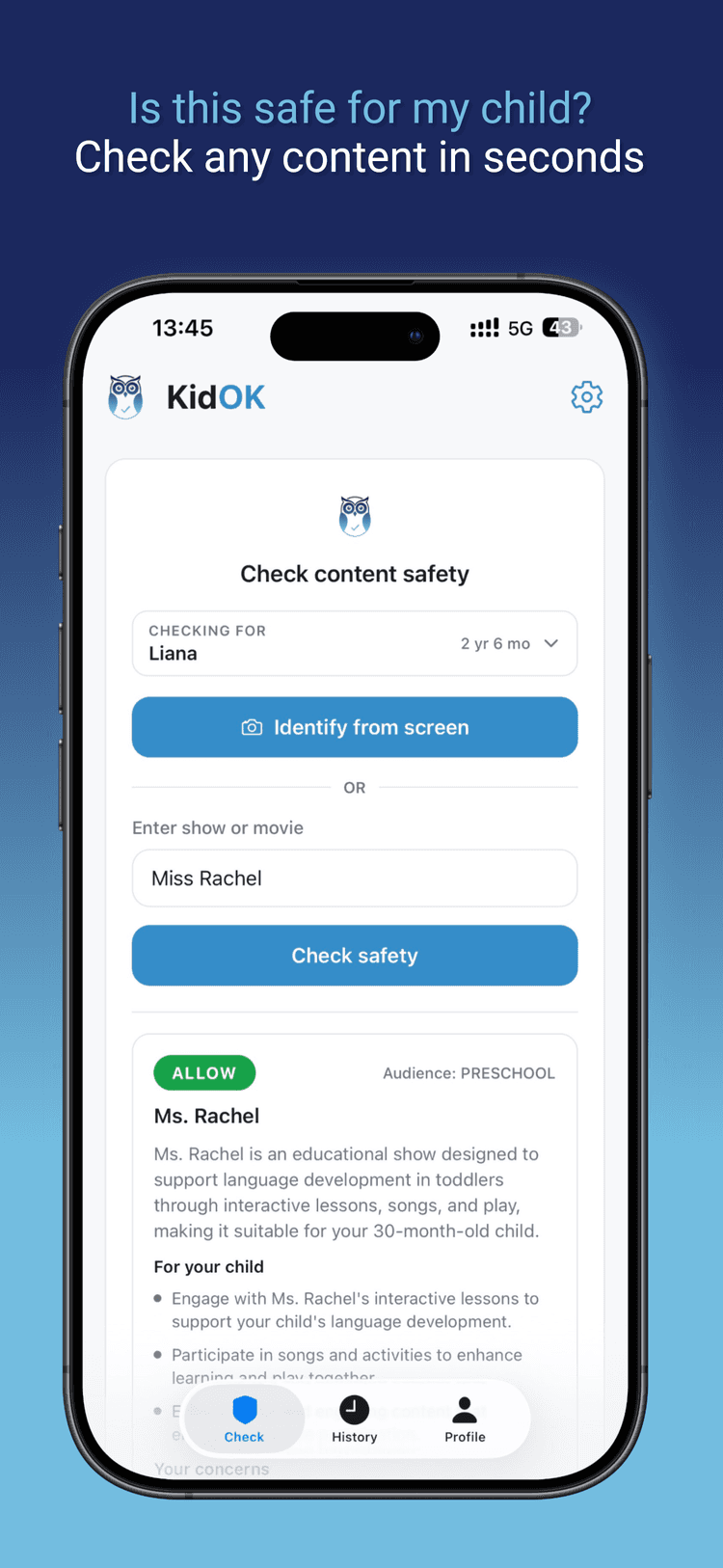
Quickly check shows and movies to avoid unpleasant surprises.
Built for parents who want clear, fast guidance.
KidOK is highlighted alongside trusted clinician resources.
This app is amazing, easy to use. Full of information to keep screen time safe. I highly recommend it!!
Absolutely love this app it's so useful
Love this app and would recommend 100%
A quick check, clear guidance, and you are set.
Type the title or scan a poster in seconds.
See the scenes and topics that matter most.
Make a quick call before pressing play.
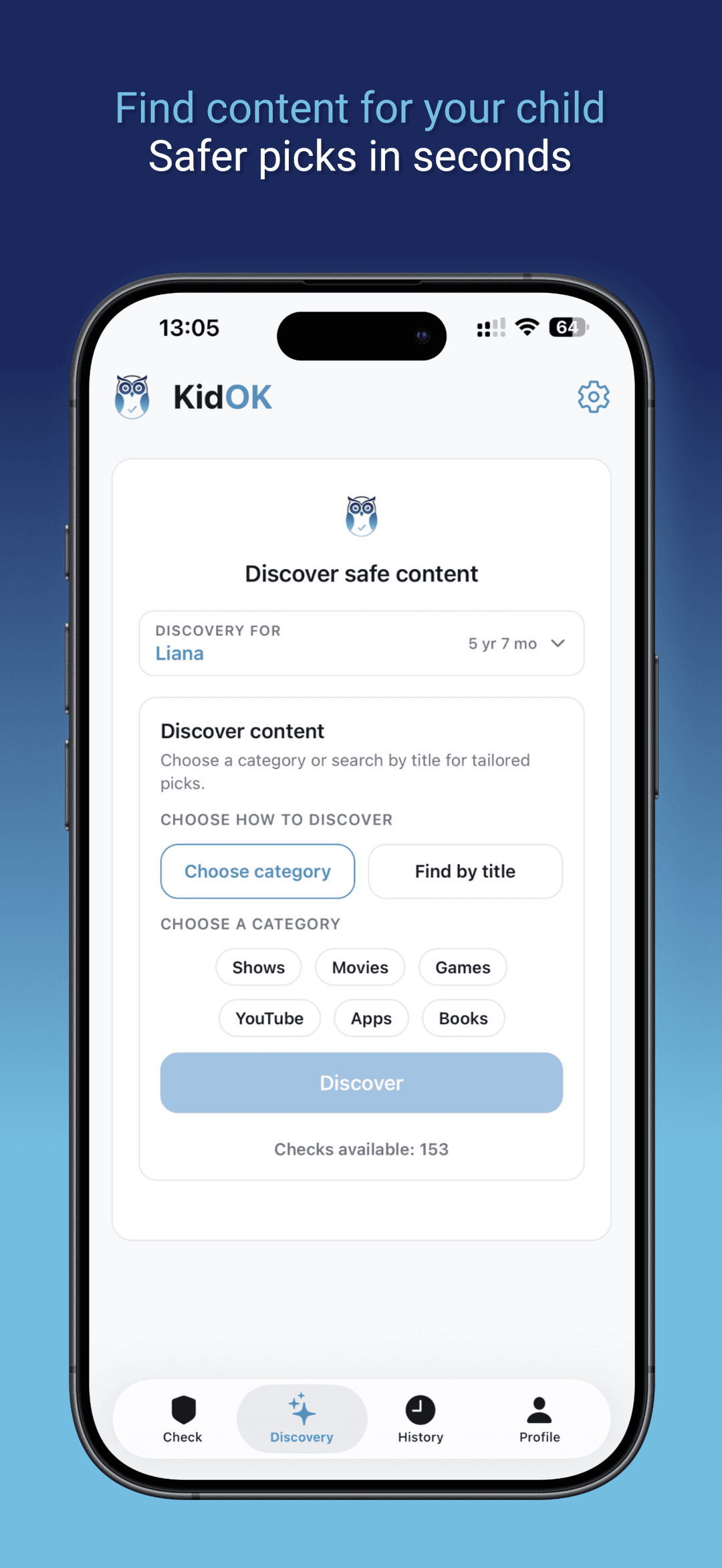
Explore safe picks by category, then save what your child loves.
Browse curated categories like shows, movies, YouTube, books, apps, and games to find something new quickly.
Each category keeps the focus on age-appropriate options so you can explore with confidence.
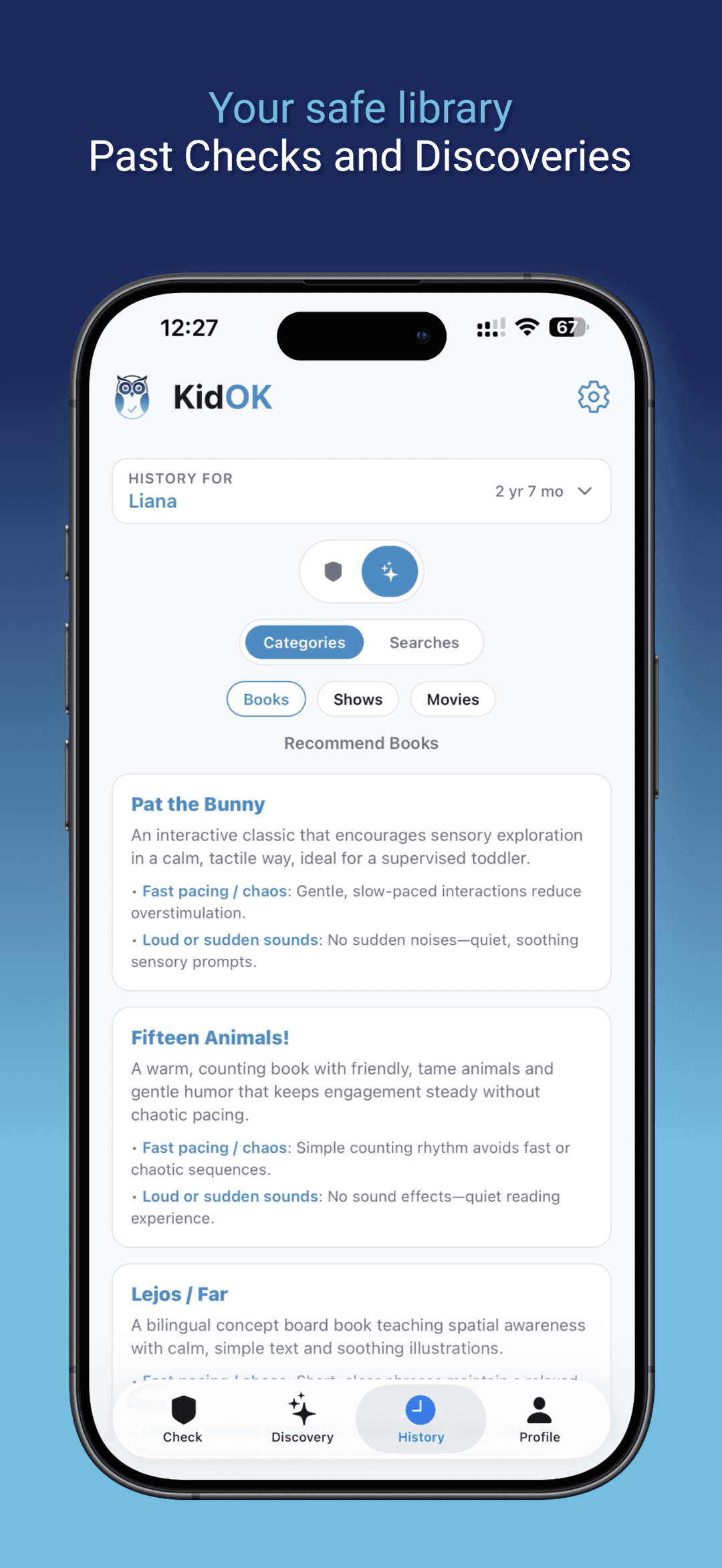
Keep the content you trust in one place, tailored to your child and easy to revisit.
Use the library to remember favorites, share picks with caregivers, and plan ahead.
Check screen
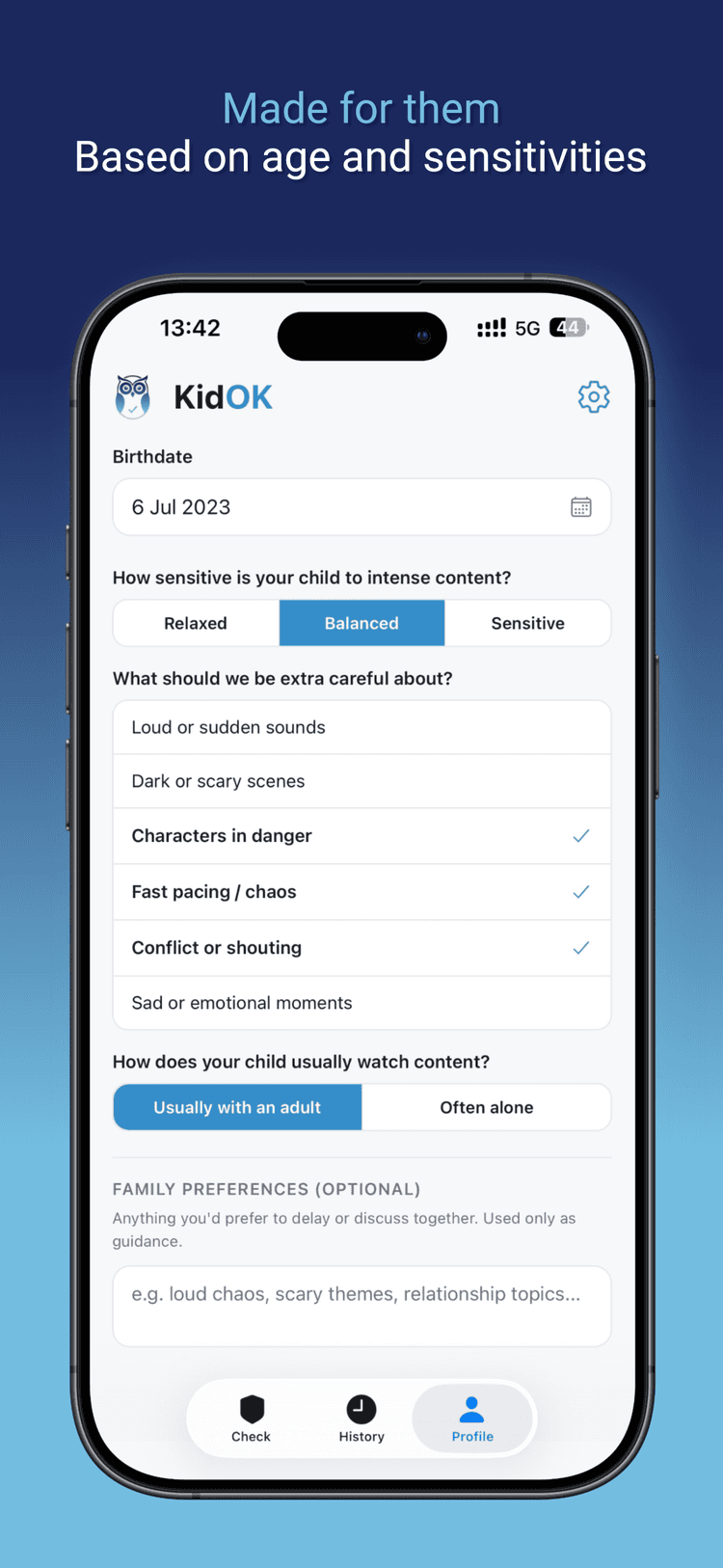
Child profile personalization
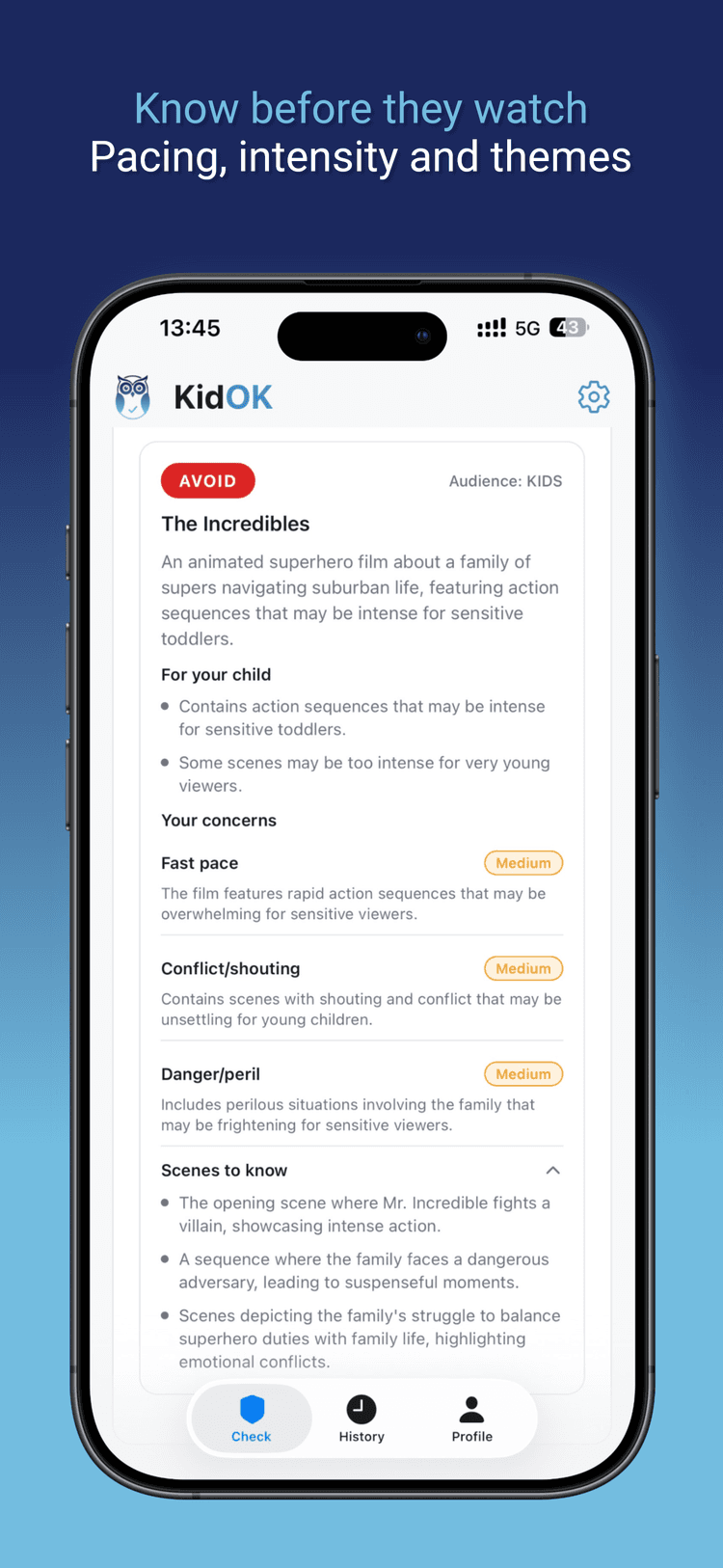
Safety result
KidOK helps you quickly check if a show, movie, video, or game feels appropriate for your child before you hit play. It gives a clear safety summary so you can decide fast.
Type a title or scan a poster, then KidOK returns a short safety overview. You can also choose a child profile to keep guidance age-appropriate.
Shows, movies, YouTube videos and channels, and games. If you can search it, you can check it.
Yes. Use Discovery to browse categories like shows, movies, YouTube, books, apps, and games to find safe picks fast.
Yes. Your saved library keeps trusted recommendations in one place so you can revisit or share them easily.
KidOK aims to be reliable, but no tool is perfect. Use it as a quick guide and pair it with your own judgment.
Checks use server resources to run and keep the service reliable for everyone. Limits help keep the app fast and affordable.
A check is tied to the content, so you can reference it again later. If a title changes or you want a fresh look, you can run a new check.
No. You can use KidOK without subscribing. If you ever want extra checks or features, you can choose to upgrade.
Most parents use a few checks each week, especially for new shows and movies. It depends on your child’s viewing habits.
Yes. You can check individual videos or whole channels. This is helpful for content that changes often.
Not yet. Android is coming soon.
Child profiles stay on your device. KidOK only uses what’s needed to run a check.
Parental controls block or restrict content. KidOK helps you decide before you play, so you can guide choices rather than just block.
You don’t need to be perfect—KidOK is here to make choosing content feel calmer and faster.
Download KidOK and feel confident before the movie starts.